
Help

For all queries relating to the KM Print Portal – please contact kmprintportal@konicaminolta.co.uk

Download Resources

How to export an Imposed PDF from EFI Command Workstation

If you have have a Fiery Impose license on your RIP please use this guide to create an imposed print ready PDF.

Download

How to export an Imposed PDF from AccurioPro Flux

If you have have AccurioPro Flux please use this guide to create an imposed print ready PDF.

Download

Konica Minolta Print Portal User Guide

A user guide to explain how to create an account and order a Product

Download

Frequently Asked Questions

Question 10 – How do I change my password?

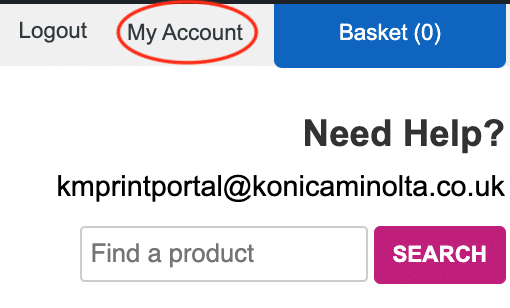
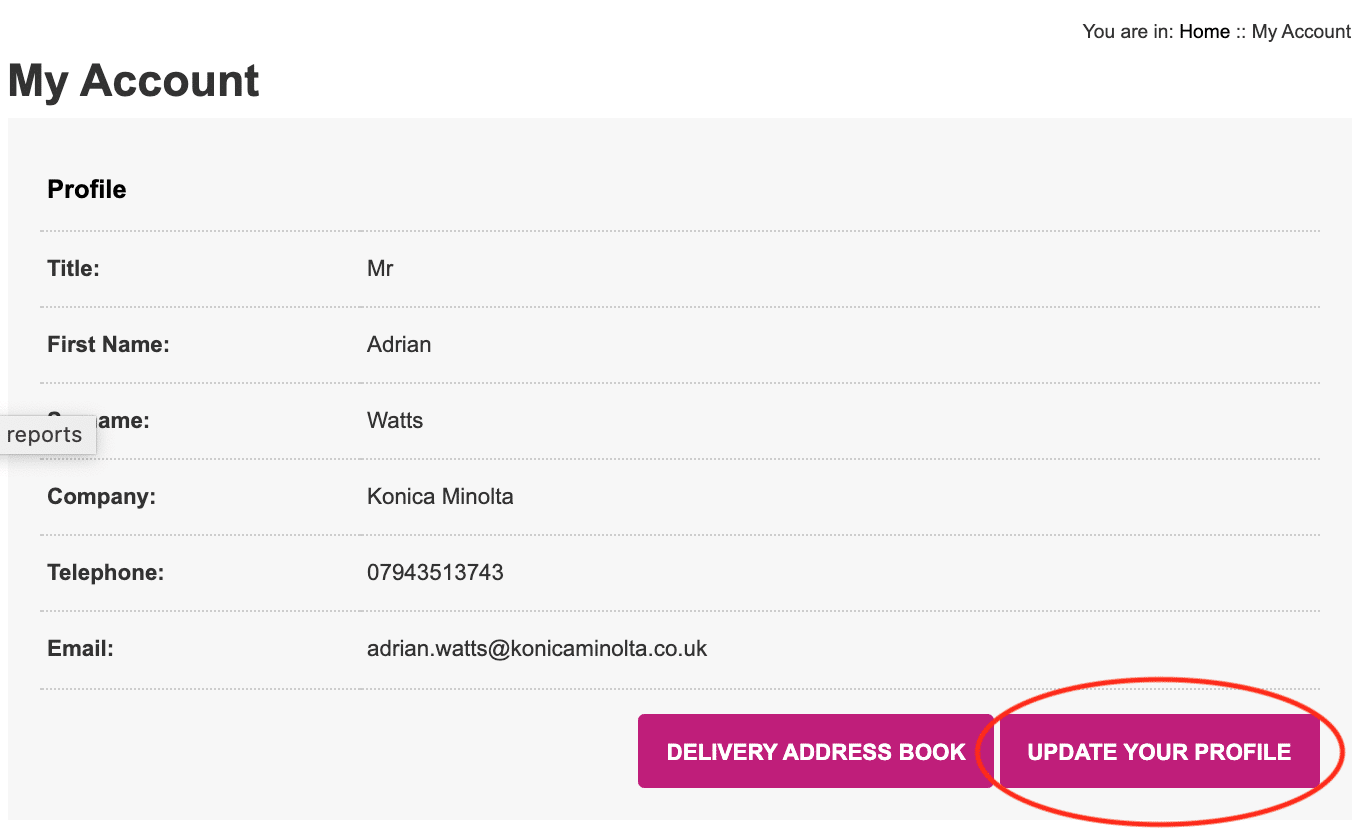
Once you have logged in, please go to the top right-hand corner of the screen and click on the ‘My Account’ button.
Next click on the ‘UPDATE YOUR PROFILE BUTTON’
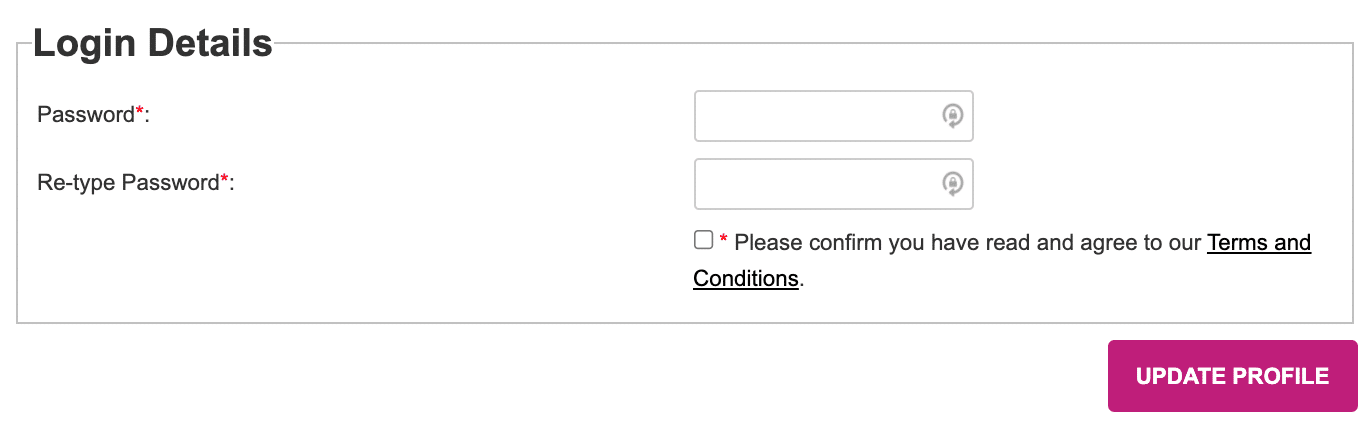
Scroll down until you see the Login Details section, enter the same new password in both fields, tick the box and click the ‘UPDATE PROFILE’ button.
Log out and then login in again using your new password.
Question 9 – How do I check the status of my order?

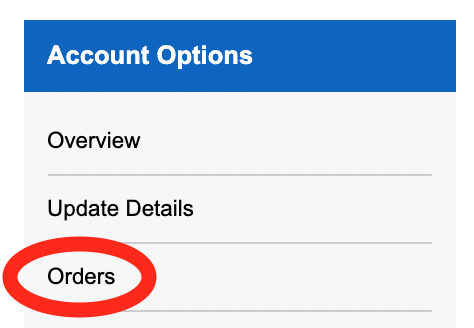
You can check your order status by logging in, then going to the top right-hand corner of the screen and clicking on the ‘My Account’ button.

On the right side of the screen, Account Options should be displayed. Click Orders to list your orders and see their statuses.

Question 8 – What is the cost of the Chargeable Material?

Currently, the KM Print Portal does not display the cost of the material. If you want to know the cost of the material before ordering then, please email kmprintportal@konicaminolta.co.uk

Question 7 – Can you provide information on your print providers accreditations?

These can be supplied upon request. Please email kmprintportal@konicaminolta.co.uk to request.

Question 6 – Can I provide my own paper, and if so, where do I deliver it?

Yes, you can provide your own paper. On the Product specification page, select ‘Yes’ on the ‘Supply own paper’ option and provide details in the ‘Own paper details’ field. When your order is received, our print provider will then contact you directly and provide you with the delivery details where you need to send the paper.

Question 5 – What if my job is a mixture of Colour and Mono imposed sheets?

Use the Flat Sheet Colour product and on the Product specification page in the ‘Brief Description of the extent of the job’ field define the number of imposed colour sides and mono sides.

Question 4 – How will my order be packaged?

All orders will be white labelled. You can request any other requirements during the checkout process in the ‘Special Delivery Requirements’ box.

Question 3 – Can I send my order directly to my customer?

Unfortunately, we do not send Flat Sheet Products directly to your customer because they are not finished. If you wish to send Flat Sheet Products to a local Finishing Company then a different Delivery Address can be selected during the checkout process. To enter the address of the Finishing Company, during the checkout process, untick the box next to the ‘Delivery address is the same as the Billing address’ and enter the new delivery address details. 

Question 2 – Is there an artwork file size limit?

There is no artwork file size limit, as we have a dedicated server that is hosted by a UK based Internet Hosting Server Company. The upload time will depend upon the upload speed of your own internet connection.